Our wine cellar is home to one of the most robust wine lists in the world
Since the Kittle House set out to build its collection in 1986, we sought out the most talented winemakers, traveling to iconic regions like California’s Napa Valley, France, Italy, Spain, Germany, Australia, New Zealand, and the Pacific Northwest. With over 18,000 bottles and 3,000 varieties, our selection is unparalleled–and growing.
To make text bigger, increase the font size setting where you're viewing or editing the content. Here are common ways to do that depending on your device or application:
Web browser (desktop)
Press Ctrl and + (Windows) or Command and + (Mac) to zoom in. Use Ctrl/Command and 0 to reset.
In menus: View > Zoom > Zoom In, or use the browser’s settings to set a default font size.
Web browser (mobile)
Pinch out to zoom on the page, or use browser menu > Settings > Accessibility or Text Size to increase font size.
Windows (system-wide)
Settings > Accessibility > Text size: drag the slider to make text larger.
Settings > System > Display > Scale and layout: increase scale percentage to enlarge text & UI.
macOS (system-wide)
Apple menu > System Settings > Displays: change Resolution to Scaled and choose a larger text option.
Apple menu > System Settings > Accessibility > Zoom or Display > Text size options in apps.
iPhone / iPad
Settings > Accessibility > Display & Text Size > Larger Text: turn on Larger Accessibility Sizes and adjust the slider.
Settings > Display & Brightness > Text Size also adjusts general text.
Android
Settings > Accessibility > Font size or Display > Font size and display size: move sliders to increase text size.
Microsoft Word / Google Docs / other editors
Select text and choose a larger font size from the toolbar (e.g., 14, 16, 18+).
Use View > Zoom to enlarge the document on screen without changing font.
Email clients
Compose window: select text and increase the font size in the toolbar.
Account settings often include a default font size for composing messages.
PDFs
Use the PDF viewer’s zoom controls (usually magnifying glass, plus/minus keys, or Ctrl/Command + +).
To change actual PDF text size permanently, edit in a PDF editor or convert to an editable format.
If you tell me what device or app you're using (browser, Windows, Mac, iPhone, Android, Word, Google Docs, etc.), I can provide step-by-step instructions specific to that environment.
Recipient of the Wine Spectator Grand Award
Since 1994
The Wine Spectator Grand Award is given to restaurants that show an uncompromising devotion to the quality of their wine programs. This award signifies the pinnacle of service and selection.
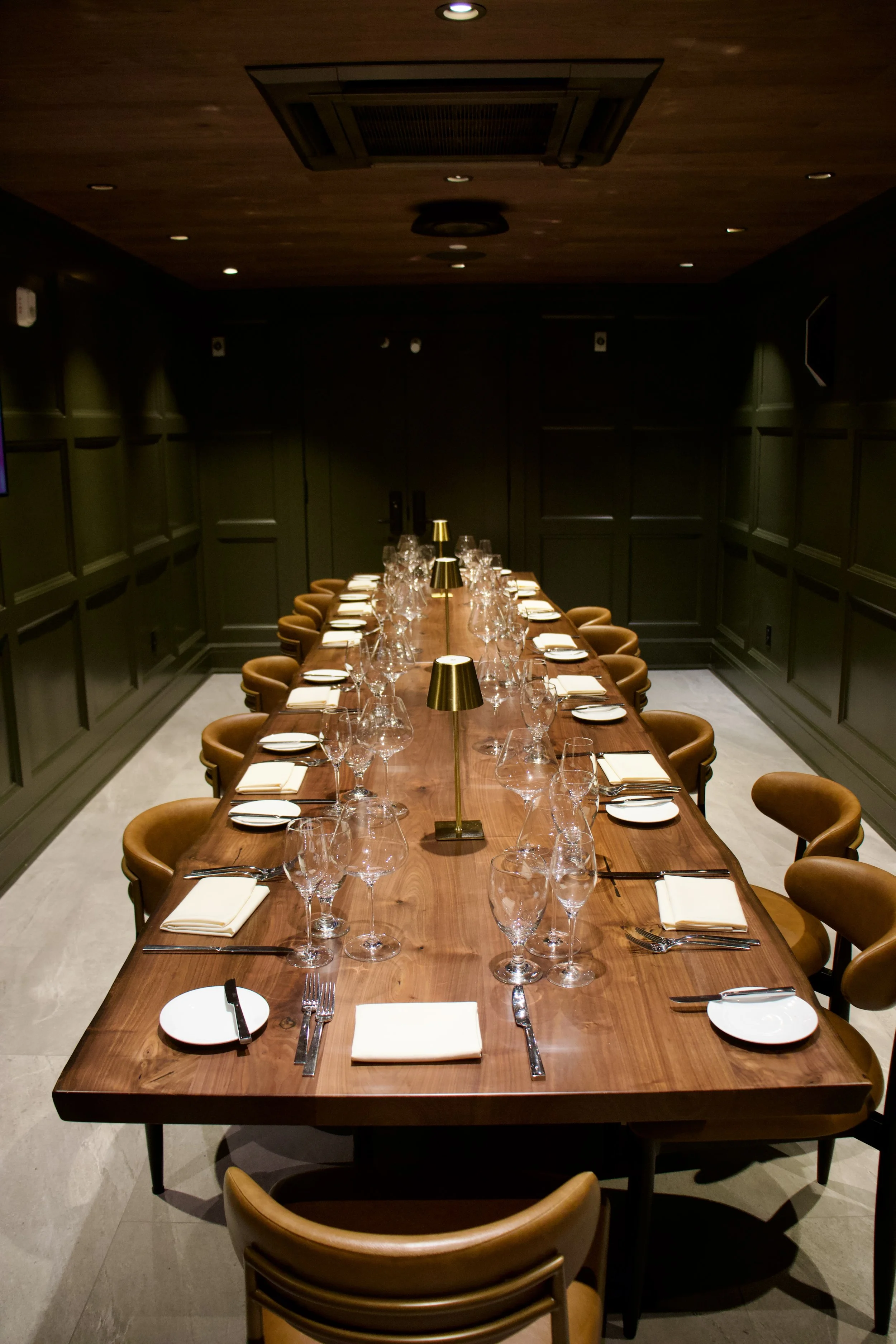
Private Events in the Wine Cellar
Sip & savor in our private tasting room, an intimate setting perfect for private dinners, corporate events, or life's landmark moments. Whether you're a wine enthusiast or simply looking to explore, this space offers a one-of-a-kind experience
Host your event in the Wine Cellar
Fill out the form below and we will get back to you within 24-28 business hours.